Subscribe to:
Post Comments (Atom)
how to add insert Animated Back To Top for blogspot site?
Now I will Create back to top button When we add Back to Top button then we Edit our Blogger template theme, so here we can take Easy...
-
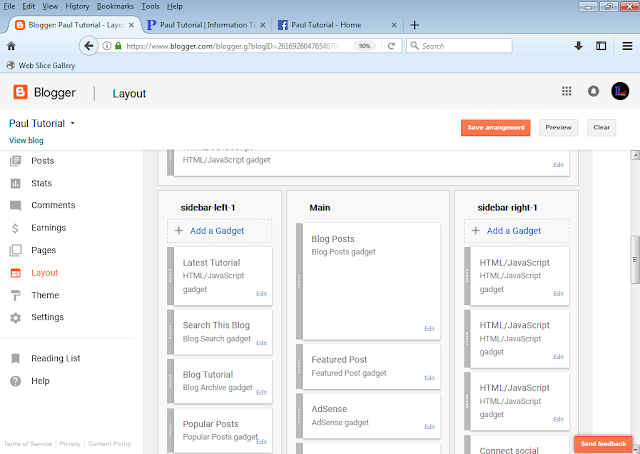
01.At Firstly, Go to Blogger dashboard and Mouse click on Layout..Continue.. 02. Then Mouse click on Right side Add a Gadget..Cont...
-
01. At First, Open Your Blog Dashboard and Mouse click on left side Pages menu for Creating Page..Continue. 02. Then Mouse Click on ...
-
01.Firstly Open your blog dashboard and Mouse Click on Left side Posts option..continue.. 02.After Mouse clicking, you can see right...
-
01.At First Open Your Post Dashboard..Continue.. 02.Then Mouse Click on New post....Continue... 03. First Social media icon Rena...
-
01.Open Two tap browser blogger site and Facebook page,Browse Facebbook developer like page and mouse click on search button and Then Mous...
-
01.Firstly Open Blog site dashboard 02.Then You can see left side setting option menu and Mouse click on Setting..Continue.. ...
-
Now I will Create back to top button When we add Back to Top button then we Edit our Blogger template theme, so here we can take Easy...
-
01.At First Open Your Blogger dashboard and Mouse Click on Left side Layout.. Continue... 02.Then Mouse Click on Sidebar Right +...
-
01.Firstly Open your blog dashboard and Mouse Click on Left side Posts option..continue.. 02.After Mouse clicking, you can see right...


It is a fantastic post – immense clear and easy to understand. I am also holding out for the sharks too that made me laugh. agen judi bola terbaik
ReplyDeleteThanks for Comments
DeleteThanks for comments
ReplyDeleteThanks
ReplyDeleteThanks
ReplyDeleteWow, this is really interesting reading. I am glad I found this and got to read it. Great job on this content. I like it. joker123
ReplyDelete